
git
1. git log
1.1 description
show the commit logs
功能:
- Commit Limiting:过滤提交
- History Simplification : 简化提交历史的
- Commit Ordering: 修改默认提交排序的
- Commit Formatting : 修改默认提交显示格式的
- Diff Formatting: 控制提交显示文件的差异格式的
1.2 commit limiting
search - 作者
1 | //命令格式 |
search - time
1 | //某个日期之后 |
search - 提交信息
1 | git log --grep=<pattern> |
search - 修改内容
1 | //文件 |
search-合并相关的提交 & 文件
1 | //查看合并提交 |
1.3 Commit History Formatting
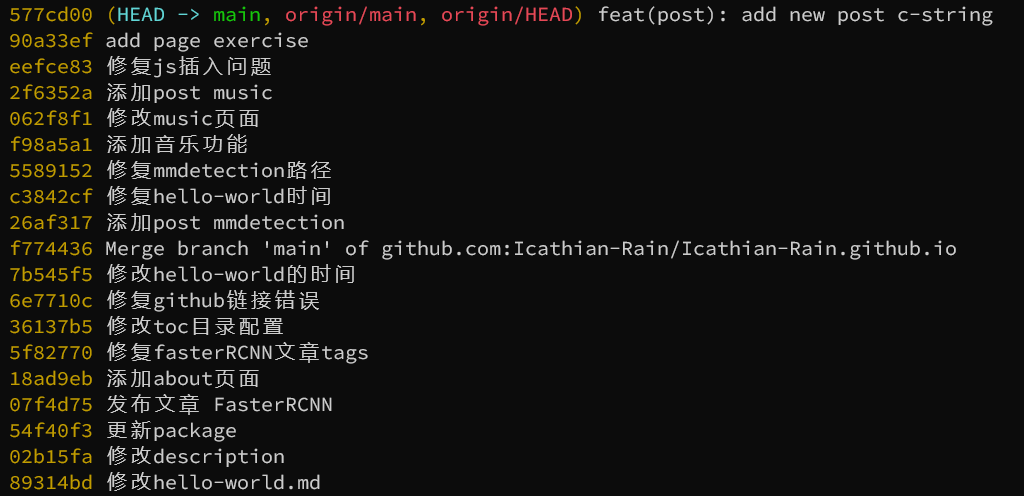
online
一行输出,
1 | git log --oneline |
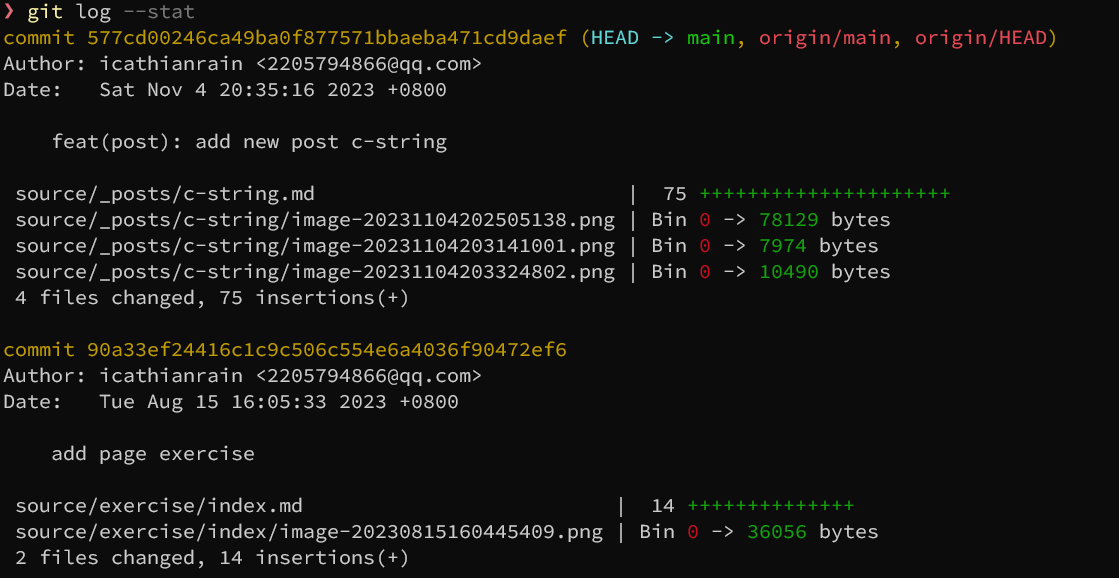
stat & p
1 | git log --stat |
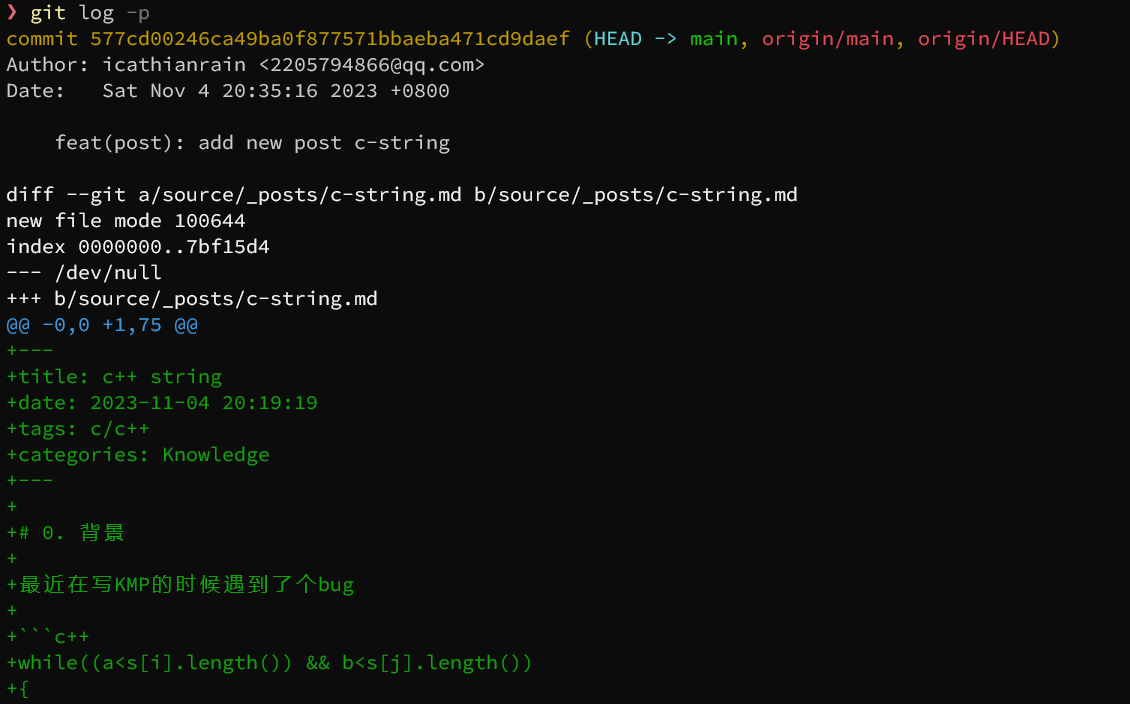
1 | git log -p |
graph
1 | git log --graph --oneline --decorate |
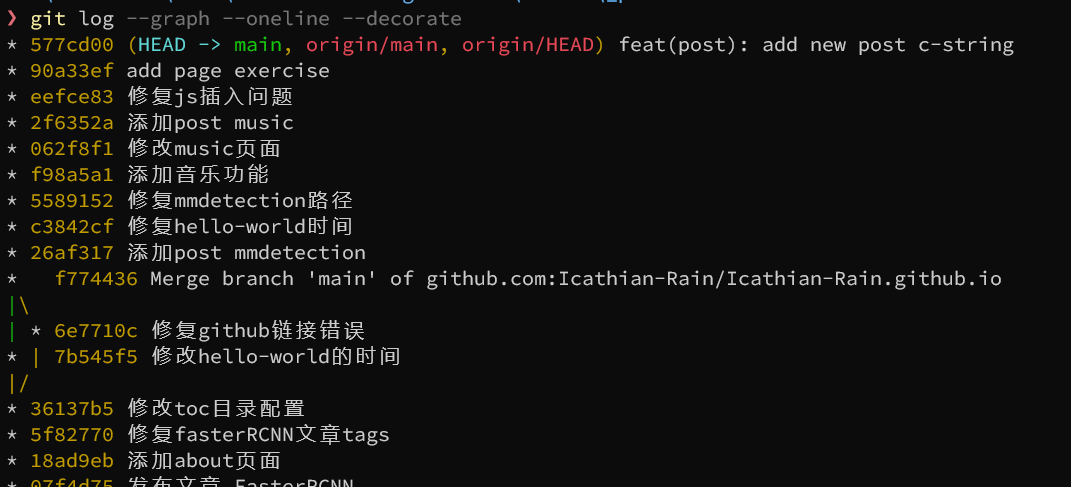
- –online: 一行
- –graph: 图形输出
- –decorate: 显示标签指针
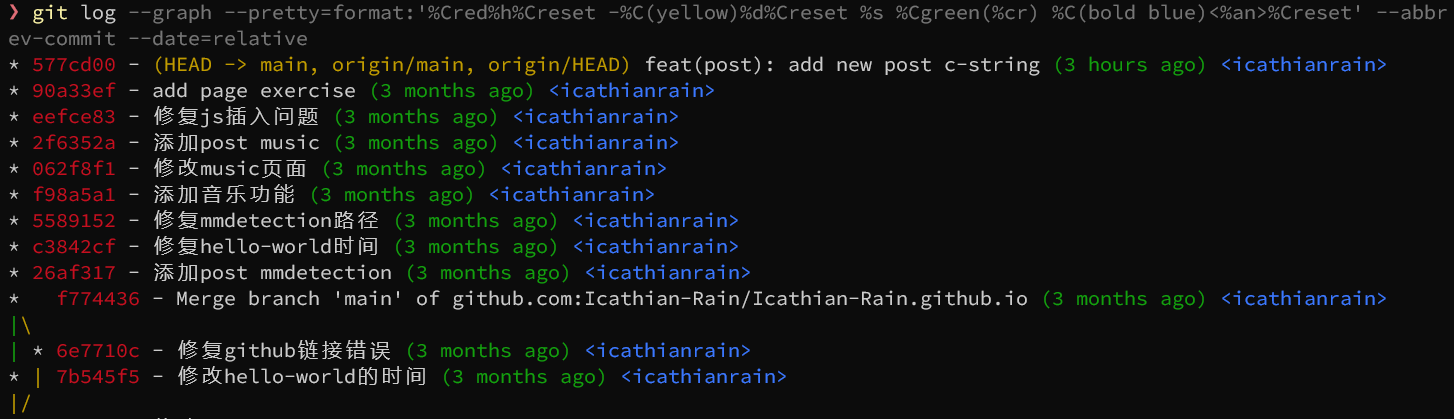
final
1 | git log --graph --pretty=format:'%Cred%h%Creset -%C(yellow)%d%Creset %s %Cgreen(%cr) %C(bold blue)<%an>%Creset' --abbrev-commit --date=relative |
1.4 alias
可以将上述指令保存为别名
1 | git config --global alias.lg "log --graph --pretty=format:'%Cred%h%Creset -%C(yellow)%d%Creset %s %Cgreen(%cr) %C(bold blue)<%an>%Creset' --abbrev-commit --date=relative" |
以后输入git lg就可以了
本博客所有文章除特别声明外,均采用 CC BY-NC-SA 4.0 许可协议。转载请注明来源 IcathianRain's Blog!